Find's Treasure Forums

Welcome to Find's Treasure Forums, Guests!

You are viewing this forums as a guest which limits you to read only status.

Only registered members may post stories, questions, classifieds, reply to other posts, contact other members using built in messaging and use many other features found on these forums.

Why not register and join us today? It's free! (We don't share your email addresses with anyone.) We keep email addresses of our users to protect them and others from bad people posting things they shouldn't.

Click here to register!


Need Support Help?

Cannot log in?, click here to have new password emailed to you

Finally - a successful pic -

steve in so la

Well-known member
with my new camera !
<center><img src="http://im1.shutterfly.com/procserv/47b8df04b3127cceb4683cfbbb7700000026108AcuGbZs0asw">
Thanks to Doug & Joe G for all the help. I finally followed Joe's explicit directions and it led to this - hopefully - enlarged pic of a small skull pendant I dug. The skull is a little smaller than a penny. I wasn't too concerned with the lighting, just trying to get the basics, so future ones should be better.
Thanks guys, I thought I'd never make it. steve in so az
 
Steve,

Aha! A picture is posted :clap:

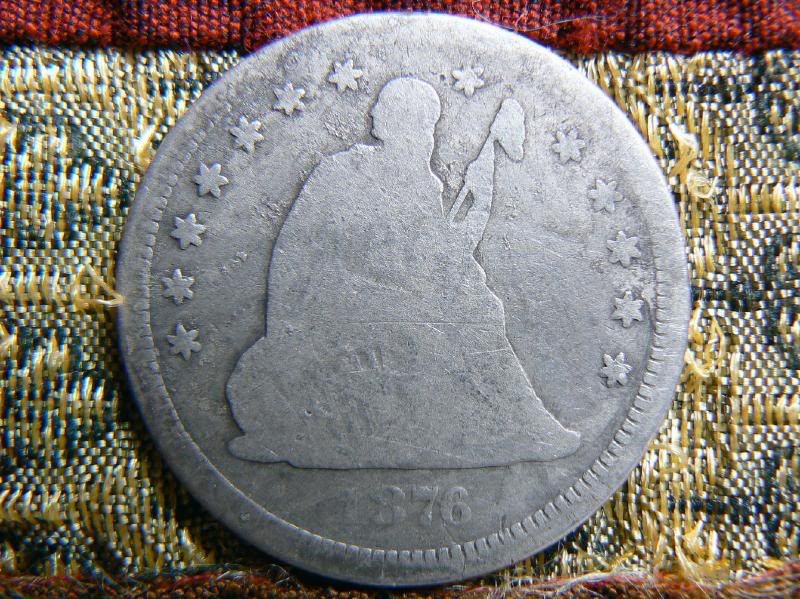
I notice you use Snapfish... I use Photobucket. Look at the difference between these two posts of the same pic. One from Snapfish and the other from Photobucket. Click on each to enlarge the pic. For some reason, Snapfish reduces the resolution or size of the pic. Don't know why. You can see that the 2nd shot from photobucket is much larger. Anyway, try it out. The other thing I like about Photobucket is, after you upload, it shows your pic and then has "code" beneath it for various types of posting. I use the IMG code. The cool thing is, all you have to do is click on the line and it's automatically "copied". Simply have two windows open, one for photobucket and one for your post page. This way if you have multiple pics, you simply go from one window to the other... copy and paste. Very fast.

As far as the lighting is concerned, maybe try the auto white balance (AWB) option after you set your lights up.

of=50,590,441


Here's photobucket:
seatedtest.jpg
 
looking forward to many more to come! :)
 
n/t
 
Do you have a 560 or a 650?

The 650 is a 12 megapixel and the 560 is around a 7. The 560 is real similar to V's 540.

Lookin' forward to some great posts! (Lord knows I'm not going to be digging for a while) :)
 
That's a great pic of a very interesting find. :wave:
 
Top